Free · Open source · No sign-up
The Markdown editor with live preview and PDF export
Write Markdown on one side and read it on the other, with KaTeX maths, Mermaid diagrams and alert boxes. Export a print-ready PDF or share a read-only link. Your documents are saved in your browser, and only the ones you share are stored on our server.
Everything you need to write in Markdown
From quick notes to technical documents with equations and diagrams.
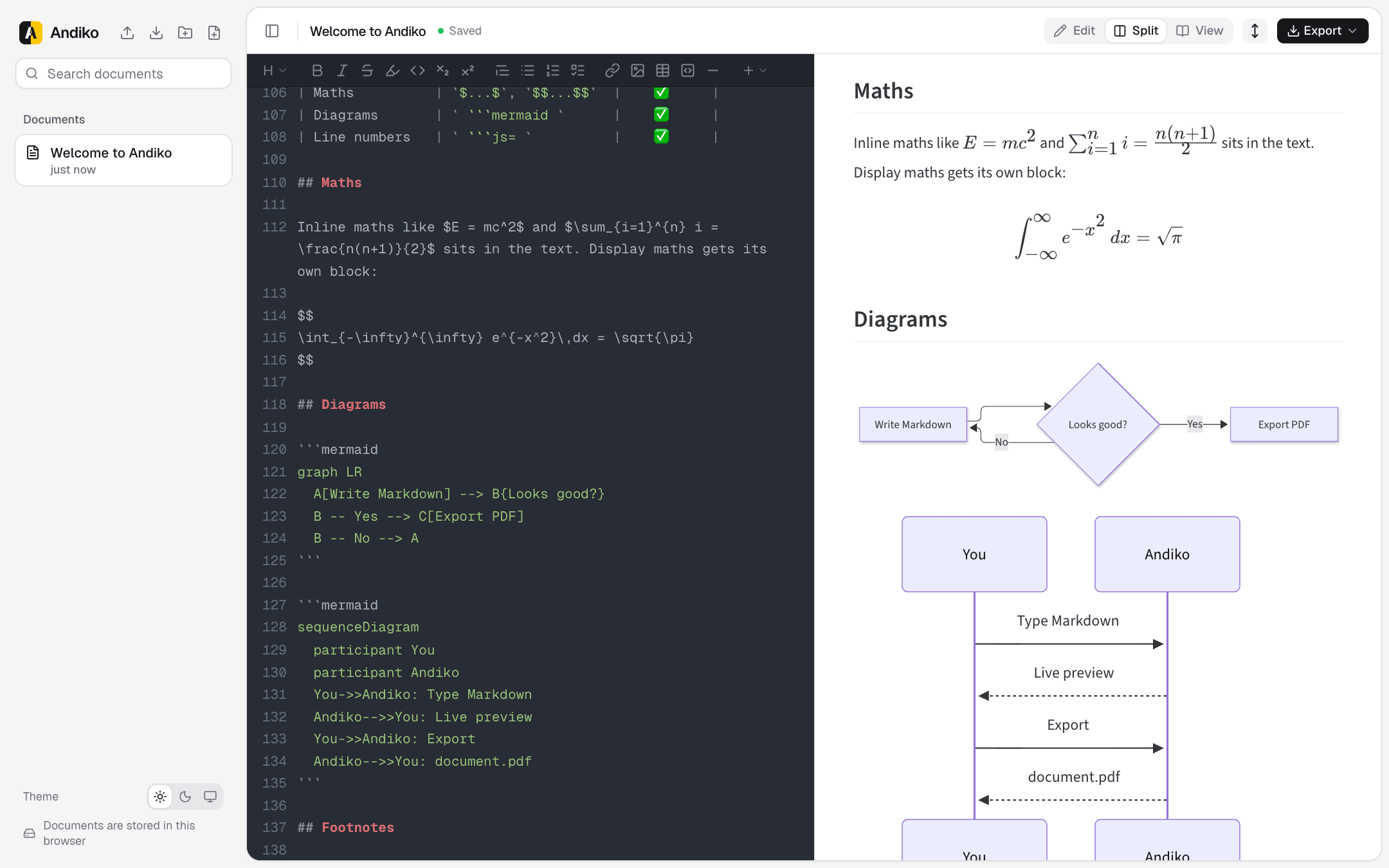
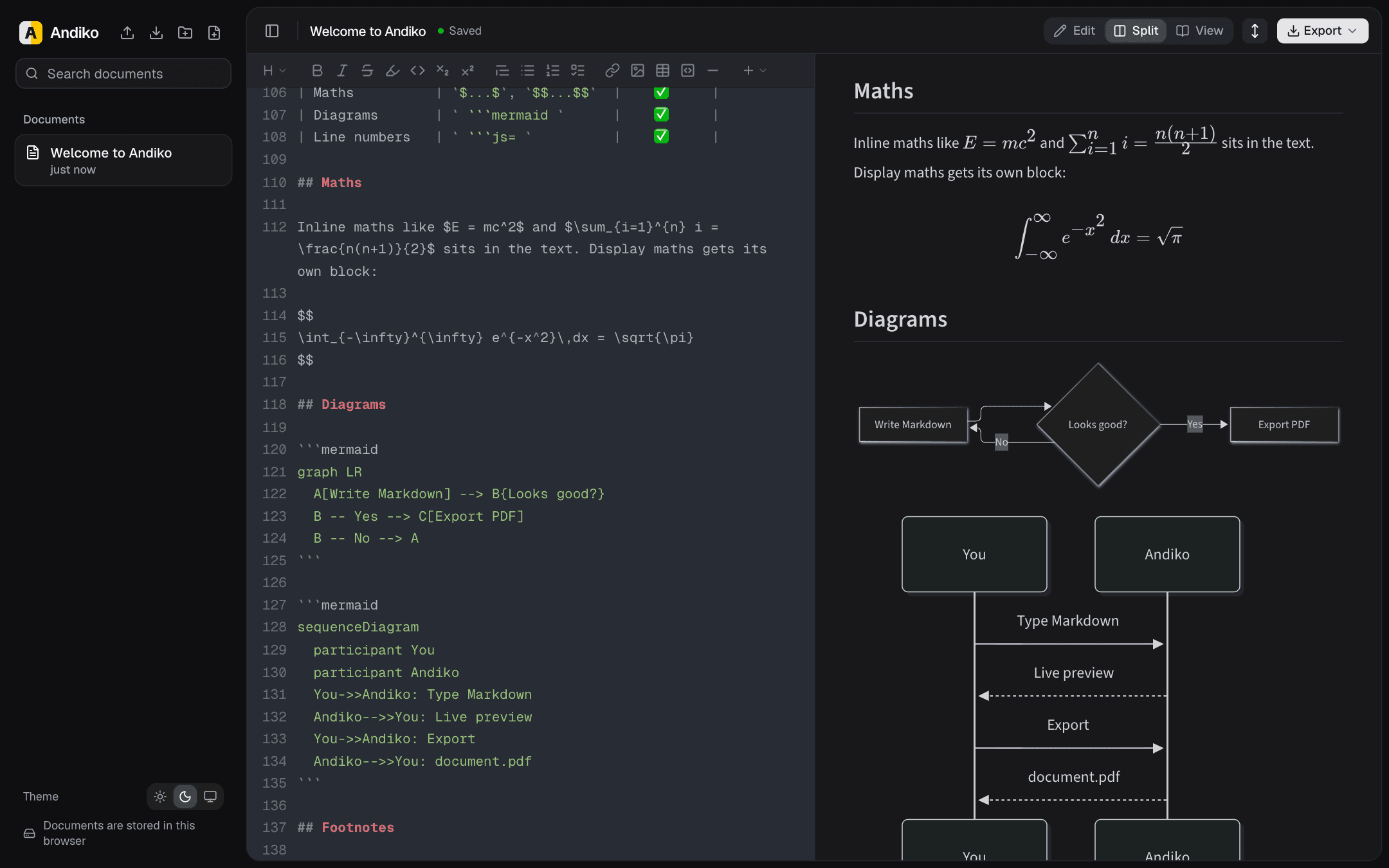
Live preview, side by side
Edit, Split and View modes with a resizable divider. The editor and the preview stay scroll-synced as you type.
KaTeX maths
Inline $…$ and display $$…$$ equations, rendered instantly with KaTeX.
Mermaid diagrams
Flowcharts, sequence diagrams, Gantt charts and more, drawn from plain-text code blocks.
Markdown to PDF
A real PDF rendered by headless Chrome, with selectable text, embedded fonts and page numbers.
Share a read-only link
Publish a document with one click. A copy is stored in a database on our server and follows your edits until you stop sharing.
Extended Markdown
Alert boxes, spoilers, footnotes, task lists, a table of contents, definition lists, emoji and YAML front matter.
Formatting bar and shortcuts
Buttons for headings, tables, links, code blocks and more, plus the keyboard shortcuts you already know.
Private by default
No account needed. Your documents are saved in your own browser. Only the ones you choose to share are stored on our server, and PDF export sends a document there only to create the PDF.
Folders, import and export
Organise documents in nested folders. Import .md files or .zip archives and export everything back.
Frequently asked questions
Is Andiko free?
Yes. Andiko is free to use and open source under the MIT License. There are no paid plans, no ads and no sign-up.
Do I need an account?
No. Open the editor and start typing. There is nothing to sign up for.
Where are my documents stored?
Documents you don’t share are stored only in your browser, using IndexedDB, and stay private to you. When you share a document, a copy is stored in a database on our server so anyone with the link can read it, and it is removed when you stop sharing. PDF export also sends the rendered document to the server to create the PDF, and it is not kept. Clearing your browser data deletes the documents in your browser, so export anything you want to keep.
Can I share a document?
Yes. Choose Share in the toolbar to publish a read-only link. This stores a copy of the document in a database on our server until you stop sharing it or we remove it. Your edits keep it up to date, only your browser can edit it or stop sharing it, and people who open it can save their own copy to edit. Documents you don’t share are never published.
How do I convert Markdown to PDF?
Write or import your Markdown, then choose Export → PDF in the toolbar. You get a downloadable PDF with selectable text, embedded fonts and page numbers. Printing from the browser is available too.
Does it support maths and diagrams?
Yes. Write LaTeX between $…$ or $$…$$ for KaTeX maths, and use a mermaid code block for flowcharts, sequence diagrams and other Mermaid diagrams.
Can I import my existing Markdown files?
Yes. Import .md files, or a .zip archive that becomes a folder, from the sidebar. You can download any document as a .md file or export everything as a .zip.
Is Andiko open source?
Yes. The code is on GitHub under the MIT License, and you can self-host it on any Node.js server or on Vercel.